Ai Blog
Ai BLOG
Recent Blog Posts
2010
2009
The Tears I Have Seen
  Tue 07 (05:19 PM)
2008
Blog Categories
Alternate Image Blog
Blog Tools
« First ‹ Prev of 2 Next › Last »
 
Search Engine Optimization Services from Alternate Image

Posted by A.I. Admin
Search%20Engine%20Optimization%20Services
Having a good website is one thing. Having a good website that users can easily find is another.
Have you considered Search Engine Optimization for your website? If your business can benefit from website traffic then this is something you should consider. SEO for your website will bring in potential customers who are seeking your services - this is a highly targeted form of advertising.


Compare SEO to traditional forms of advertising.
You can place a print advertisement for a couple hundred dollars per run and get exposure to people who may or may not need your services or goods. Print ads work when you place them frequently and expose your customer to your brand over and over again (assuming that they would need your services in the first place). Tracking the return on investment is difficult and usually it takes thousands of dollars until you see any type of results. Unless your services are for the general public, you may want to allocate your marketing budget somewhere more profitable.

SEO services allow people who are on the Internet searching for the goods or services that your company provides to be able to easily find your website and company information. It only makes sense to market to people who are looking for what you have.
This is a shotgun approach compared to traditional marketing.

What exactly is SEO?
Search Engine Optimization is essentially making your website easier for search engines to find when a user searches for specific keywords related to your goods or services. There are many different things that search engines take into account when determining which websites to display; some of these factors are controllable and some are not (ie: how long your website has been established, etc.). Alternate Image works on the controllable factors to make your website rank higher for keyword searches.

What is the difference between paid and organic listings?
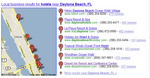
Paid listings appear under the "sponsored links" for Google in a box - these are the top three listings and then overflow over to the right hand side of the page. This is a fast and easy way to get your website to appear at the top of the rankings, however it can get expensive. Advertisers pay per click and depending on the keyword popularity you can spend upwards of $1.00 per click. Below is an example of where sponsored listings appear.

Google%20sponsored%20listings


Organic listings are what you see below the sponsored listings. These are more commonly clicked on and cannot be "purchased" from Google. Google is constantly changing their formula for determining website rankings and we have to stay in the loop to keep our SEO clients ranking on top.
We offer SEO services for organic listings and additional packages for paid listings (called Google AdWords) campaign management.

What is included in SEO services from Alternate Image?

Search engine optimization is very labor intensive. We do all of our work in-house and will never farm it out overseas. SEO work is completed by Michelle Herrin, VP, and Morgan Seedarnee, our Internet Marketing Specialist. Alternate Image was one of the first companies in our area to offer these types of services. We have years of experience in an industry that is very new, and we are continuously learning and applying more techniques to our SEO services for our clients.

First, Michelle will have a consultation with you to determine your overall goals and what you are trying to market. She will research your competition to see how difficult it will be for your website to climb the rankings and make it to the first page on Google. Prices for SEO packages are determined based upon this research and a proposal will be given to you.

The next step is for Alternate Image to research your keywords. We use software programs to determine which keywords are more popular for general searches and come up with a list of keywords that will be the most successful for your SEO campaign. This list is sent to you and depending on your contract you can narrow this down to about 15-20 keywords that you feel would be the best suited for your website. Once this form is received SEO will begin.


SEO services include the following:

- Listing your business on Google local listings to appear on the local map

- Changing your meta-tags, meta-descriptions, and meta-keywords for each page within your website to optimize for the keyword list

- Writing 15-20 articles (individual webpages) within your website that are optimized for search engines and your specific keywords

- Submitting blog posts, press releases, and other articles to online websites that are optimized with your keywords and link back to your website

- Generating keyword reports every 2 weeks to show you where you rank on the top three search engines for each keyword. This report will be emailed to you once your SEO has been completed.

- Additional "tweaking" and monitoring of your rankings to add fresh content and keep your rankings from falling

- Crawling your website every 2 weeks and submitting a new site map to Google so that they can find new pages and new content added (generally Google crawls websites 3-4 times a year unless you directly submit your site-map)

How does your website perform?
Call Michelle today for a free website analysis report to see how your website ranks on the top search engines for your top keywords and a free consultation.

- Morgan Seedarnee,
Internet Marketing Specialist
Alternate Image
386-760-1774

Ask about our social media management packages!


Posted at 09:28 AM (0) Comments | Leave Comment
 
Visual Enhancements on all Applications

Posted by A.I. Admin

Alternate Image's programmers and designers have been busily working on updating what we call 'skins' for all applications in the administration area. You will notice some items have already been updated such as News and Calendar. The new 'skins' allow for visual enhancements and user-friendly navigation, yet leaving the functionality the same. Currently you will see enhancements in some of the Hotel applications such as Rooms, Room Options and Reports.

Go to Rooms. Click on the details of a specific room and you will see noticeable enhancement, such as the length of the form. Instead of having to scroll down to complete the form now you can click across the page. Description, Pictures, Policy, and GDS settings are now more visible and easily navigated. We also added some Additional Settings, which allow you to choose the specific discounts, amenities, and options for that particular room. Also see Room Options>Details.

Reservation%20Booking%20Engine

The Billing Overview and Revenue Overview reports have also been upgraded. The revenue amounts are legible and the color is easy on the eyes. You can also view your GDS revenue, separate from all revenue. If you are looking for something more specific you may choose to Build Report. To build a report you can choose certain criteria, such as Date Range of when the reservation was made, Booked At if there are portals you are attached to, Discounts if you are looking to isolate reservations that used a discount, or Booked By which would primarily be any wholesalers you have contracted with. If you click on the details of a particular month a light box window will appear to include all reservations where the revenue derived. You can also print the list of reservations for your backup.

Reservation%20Booking%20Engine

The 'skins' will have similarities in all applications once each has been completed. Larger font for legibility, softer color which is easier on the eyes, shorter forms to complete for an overall better experience. Look for more application enhancements throughout the next few months.

Posted at 01:47 PM (0) Comments | Leave Comment
 
Are you looking to enhance your Reservation capabilities online?

Posted by A.I. Admin
Global%20Distribution%20System
In-case you didn't know, Alternate Image has an interface into the well known Global Distribution Systems also known as GDS. We've made it easy for you to manage your rates and inventory for your online booking engine as well as your GDS through one point of management. We can give you the exposure you need to increase your bookings and be more visible right next to your competition.

GDS currently encompasses all leading hotel and travel companies to include Sabre, Galileo, Pegasus, Worldspan, Amadeus, as well as online hubs, such as Orbitz, Expedia, Travelocity, Hotwire, Priceline and much more. If your hotel is not currently on GDS, we can help. Our existing system works hand-in-hand with the GDS interface with no additional data entry or third party access. Room descriptions and pictures, discounts, rates and inventory all coincide with the GDS channels automatically for your convenience. Our rates are very competitive to include one-time setup, flat fees with no percentages, quick activation, and free full time support and training.

While the demand for direct electronic access to hotel websites is growing exponentially no hotel company can afford to ignore this explosive growth of online hotel internet reservation bookings. Nearly 300 million active Internet users have already purchased travel online. Online travel bookings have exceeded $100 billion since 2005. GDS on average produces up to 30% of all hotel bookings. The biggest advantage for any hotel is having the largest online exposure to the online markets through GDS where millions of buyers and sellers work together to exchange travel services. If you would like more information on how your hotel can benefit from GDS, please call us today at 386-760-1774.
Posted at 05:55 PM (0) Comments | Leave Comment
 
HTML Code Tags And Tips

Posted by A.I. Admin


HTML Code Tags & Tips
By Morgan from Alternate Image


HINT: You can always undo any action with CTRL + Z (Command + Z on a MAC). You must hold down the control key while holding down the 'Z' key.

How to align a paragraph differently than another paragraph or sentence above/below it

If you want the bottom paragraph text to appear centered and the top to be left aligned, like this:

Lorem ipsum dolor sit amet, consectetuer adipiscing elit, sed diam nonummy nibh euismod tincidunt ut laoreet dolore magna aliquam erat volutpat. Ut wisi enim ad minim veniam, quis nostrud exerci tation ullamcorper suscipit lobortis nisl ut aliquip ex ea commodo consequat.

Duis autem vel eum iriure dolor in hendrerit in vulputate velit esse molestie consequat, vel illum dolore eu feugiat nulla facilisis at vero eros et accumsan et iusto odio dignissim qui blandit praesent luptatum zzril delenit augue duis dolore te feugait nulla facilisi.


You will need to use a Div Tag. The Div Tag will be placed before the sentence with a closing Div tag following it. If there are font tags you will want to place this around those as well so that the styling is included in the Div Tag.
You can align the text to be 'center', 'left', or 'right' using the tags below:
(Note: this is an image as entering in any HTML code is automatically hidden from the user)


How to add a specific font color that is not in the color swatch

If you want to add a new font swatch color that is not in the color swatch, or if you have a specific logo color that you need to use to match a logo or branding, you will first need the 6 character color code (ex: #66CC00).

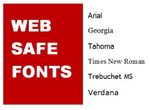
You can find a complete list of colors and their color codes at www.visibone.com/colorlab.Here you can place colors next to each other and see how they look or complement each other. These colors are web safe colors that will be consistent through all browsers and on a MAC and PC. Only use these web safe colors for your website. Simply click on a color on the palette and the color code will appear on the right.

Go to your CMS and type in your text. Highlight it and add a color from the color swatch. It does not matter which color you select, as we will be changing it in the next step.

Go to your source code and search for that text. The color code will appear within the font tag that surrounds your text. Replace the 6 character color code with your new color code. The code should look like this:

How to add spacing around an image
If you want to add space between the text and image, like this:
An example of adding space between images

To add space first float the image either right or left. (You can do this by inserting the image from your photo library and selecting float to left or right, selecting none will not make any text wrap around the image.) In the code, look for the image tag and insert your margin style tag within the Div Tag surrounding the image.

These are the tags you can add:
margin: 15px - adds 15 pixels of space around the entire image
margin-left: 15px - adds 15 pixels of space to the left of the image
margin-right: 15px - adds 15 pixels of space to the right of the image
margin-top: 15 px - adds 15 pixels of space to the top of the image
margin-bottom: 15px - adds 15 pixels of space to the bottom of the image

The code should look like this:


You can add more or less space by increasing the pixel size. A good amount is about 10-25 pixels, depending on your website layout and images. Be consistent with your margins throughout the website. You can add more or less space by increasing the pixel size.A good amount is about 10-25 pixels, depending on your website layout and images.Be consistent with your margins throughout the website.

How to add 'Alt text' to images to enhance SEO for your website

Alt tags are used to identify the image to search engines and the user. When your mouse hovers over an image the alt text will appear. Your alt text should include your website keywords and not be a complete sentence. Here are some great examples of effective Alt Tags:
Daytona Beach Hotels
Bike Week events 2010
Daytona Beach restaurants
Daytona Beach Homes for Sale

After you have inserted your image, find the image source code and type your keywords into the quotation marks for the Alt Tag:


Add a border around your image

To add a border around your image go to your source code and find the image source. Within the image tags there will be a 'border=0' code. Change the '0' to the amount of pixels you would like your border to be. One pixel in width is usually sufficient but you can add more. Your image will appear as such:

An example of adding a border

Here is the source code:

Always remember that your website will display differently in Internet Explorer, FireFox, and Safari and that it is recommended that you preview your website in all three. If you need to revert back to previous content in your content management system you can do so from the Activity Log on the Security Dashboard of your website. The activity log will display the content before and after each save from user sessions. You can copy and paste the previous content from the activity log back into your content management box should you need to revert back to your previous content.


Posted at 02:01 PM (0) Comments | Leave Comment
 
Using the New Content Management System

Posted by A.I. Admin
Newest Version of Content Management is finally here! We have just recently turned on the new content manager in our mailer application. It is cross browser friendly and will work with any browser including Safari. Let me explain about the newest features you will love.

FONTS
The basic editing functions are always important. Anytime time you want to edit the font you will have to be sure to highlight the text. Once the text is highlighted click on the "A" viewer, which is now a combination of three options in one; the Color, Size, and Type of font. When choosing the color, click on the check box next to color and a color wheel will appear. There is a small cursor in the bottom left corner you drag into the color choice. You can also move the vertical cursor up and down. Once you have chosen the color click on the rainbow wheel at the bottom to activate and Submit. You can also Bold, Italic, or Underline in the "A" viewer, for one less step.

INDEX
The same items apply with indexing. Options include Left index, Right index, and center. Highlight the text area you want to edit and chose the index you prefer. We have also added bullets and line breaks which can be useful. Rumor has it, tables will be added in the near future.

HYPERLINK
Hyperlinks are very useful for any content. Highlight the text you would like to link. Click the "Chain" link next to the camera and a pop up box will appear. Main functions include Type, Text, Url, and Open In.

The type is whether it is a secure page, https, a regular page http, or a mail to, which is a link to an email address. If you are linking to an email address be sure you type in the full email address in the url field.

The text field will pre-populate what you highlighted. Make sure you are not linking words such as "click here" these are not search engine friendly. They should be a descriptive word about what you are writing, such as, "register for class" or "bike week rates." The url is the link, you do not have to include the http or www.

The open in, is whether or not you would like the link to open a new browser window or the same browser window. Suggestion, if you are linking away from your website, chose to open in "new" window. If you are linking within your own website, chose to open in the "same" window. This will ensure your viewing traffic is not directed away from you site.

Once the link has been customized to your liking, you may now chose to change the font by clicking on the Style tab. The style tab will drop down and offer options of font, size, and color, which work in unison with the "A" viewer. For reference see FONTS.


MEDIA UPLOAD
The media upload is by far the most advanced feature. It contains several uploading options such as Pictures, Documents, Audio/Video and Flash. Now you can upload your newest YouTube video to a news article. Here are the steps to using the media upload.

-Place your cursor where you would like to upload your picture/file.

-Click on the "Camera" viewer and a pop up box will appear. The media holds all files and organizes them accordingly for easy navigation. Notice you have the ability to scroll through several pages of uploads using the page finder.

-You now have a thumbnail which acts as a preview and the title is visible below the thumbnail for easy viewing. You can easily chose to view all files, or select specific files.

-To upload chose the "Upload" tab found in the middle below the files. Two options show up within the upload section. Destination, is the libraries created to help organize your media. And Browse where you can upload from your desktop. Once uploaded there will be a preview indicating the file has successfully uploaded. To close the upload tab, do NOT click the close link. Instead click the UPLOAD tab, again, to go back to the media viewer.

-To search for the title of the file, type it in the search field found to the left of the upload tab. Once you have found the file, you may click the thumbnail to view the details of this file.

-The details of the file will have available sizes that are created by default. The original file is typically the largest. Next to that, you can create custom sizes. The More options section below is used for natural search engine optimizing. Alt Text is the title you give your document. Float allows for you to float your image to wrap text. And Link is to link your image to a designated url.

For sneak peak, check out the new look of the user-side content manager.


If you have any questions regarding any of our products please do not hesitate to call us.


-AI Staff


Posted at 05:01 PM (1) Comment | Leave Comment
 
Mobile Phone and Social Media Apps

Posted by A.I. Admin


To stay on top of your internet marketing sometimes you just have to go mobile. But with so many mobile phone and social media apps out there you may need some help.

Here are some helpful reviews:

I've personally had problems with the previous version of the Facebook App, and to be honest I never really liked it. Luckily, they've fixed those problems and came out with an upgrade.Here is a review for the new iPhone Facebook App that was released this year.

Qik App for iPhone. Michelle's favorite for creating live video streams. Your iPhone doesn't even have to have the video capabilities, the Qik app allows you to take video and stream it live to the internet. These videos can be posted to your website or blog. Now you can create short little clips to show off whatever you would like in a few quick minutes. Perfect for internet marketing on the fly.

Scare Bear App

And let's not forget our office favorite; The Scare Bear Trail Companion App for the iPhone. This app allows you to make a foghorn sound, clapping sound, or lound jingling noise on your iPhone. This is supposed to be used to scare away bears but we've been using it to announce important events or big sales. Your office staff will hate you for this one. (To download the app, log into yout iTunes account and search for "Scare Bear Trail Companion").

What else is there for the iPhone?Here is a comprehensive list of the iPhone apps from 2010.

Sometimes we play favorites because most of our staff members at Alternate Image has an iPhone, but we haven't forgotten about you Blackberry users.Here are some of the best social media apps for Blackberry.

Are you a Tweeter? Here is a great review onthe best Twitter apps for MAC users.

Enjoy!

-AI Staff

Posted at 02:40 PM (0) Comments | Leave Comment
 
Daytona Bike Week is Right Around the Corner

Posted by A.I. Admin
The NEW BikeWeek.com

Some say Bike Week is about bikes, babes and booze. I think it is about revenue, bottom line and earnings. It may not have the same ring to it but in today's market we are all about the ring of the cash register anyway. BikeWeek.com is this month's featured website because spring time brings bikes. While BikeWeek.com does cover the big three 'B's' that it has become associated with it also covers where to stay, what to do and where to be. With over 85,000 unique visitors a month, this site is HOT.

Drum roll please….the all new BikeWeek.com has been launched just in time for Bike Week Daytona. Site visitors have access to printable coupons (could coupons on the phone be coming soon?), listings of national and local businesses, news stories from across the bike world, forums and a vibrant biker community.

And oh yeah - pictures. We have thousands of pics from past bike events all over the US. If you have a story or a press release about Bike Week we would love to receive it. Email editor@bikeweek.com. Interested in advertising on BikeWeek.com?We would love to talk to you about the incredible affordable options. Email advertising@bikeweek.com for a media kit with options and rates.

Posted at 01:57 PM (0) Comments | Leave Comment
 
Internet Browser Tips, Reviews and Comparisons

Posted by A.I. Admin

What is an Internet Browser?

A software application used for retrieving, presenting and transferring information resources on the Internet.According to Wikipedia, an information resource is 'identified by a Uniform Resource Identifier (URI) and may be a web page, image, video, or other piece of content.Hyperlinks enable users to easily navigate their browsers to related resources.'Basically, an Internet Browser is what you use to view websites.


How Do I Know Which Internet Browser I am Using?
There are a few ways to tell.

MAC users: Click on the Apple menu (top left of your screen) and click 'About Safari' or whichever browser you are using.Apple will then display your browser info.

PC users:Go to the menu items across the top of your browser and select the support menu item.Select About…. To see the browser name and version.Some browsers may display the menu items differently.Most of the time you can view the browser details under the Support>>About menu item .In Internet Explorer 8 you can click on the Help menu and it will say 'What's New in Internet Explorer 8' so that you know you are using the latest version of IE.

You can set your default browser by going to Tools>Internet Options>Programs. There you can choose your default browser for opening hyperlinks and websites.

What Types of Browsers are There?

There are a few main browsers used by the majority of Internet users.
Internet Explorer
Safari - (Apple's Internet browser, also used on the iPhone)
Firefox
Google Chrome
Opera

Which Browser is the Best?

Alternate Image software supports IE 8. Our newest content management version showcased in the admin area supports IE8 which will soon be a mandatory upgrade. If you log into your admin area and see the green bar at the top, that means you need to upgrade and are not using IE 8. If you have IE 8 but have the compatibility view turned on, then that will also cause the green bar to appear.Turn your compatibility view off (click the broken page next to your address bar, or click on Tools>Compatibility View to change this setting.

Firefox is a great browser and has proven to be the most effective when working with AI's Content Management system. We are looking forward to turning on our newest version of content management for the user side as early as first quarter. This will allow for cross browser usage to include Safari. We recommend remaining current on all browsers to fully utilize the software and its improvements.


What is the Difference Between Browser Performance?

We found these great reviews and browser comparisons online - IE8 and Firefox are a sure bet.

Performance Comparision of the Top Ten Internet Browsers

Reviews on the Top Ten Internet Browsers

We hope you find this information helpful!

-AI Staff

Posted at 02:55 PM (0) Comments | Leave Comment
 
Using the Knowledge Base for Instant Customer Support

Posted by A.I. Admin

Have a support question?

Many commonly asked questions can be found in our AI support desk knowledge base at www.AIsupportDesk.com. Simply log in with the same email address you use to send tickets, if you do not know your password you can choose the 'Lost Password' option located above the login field to have your password emailed to you.

Once you have logged in you will see the knowledge base located on your left.Click on this to see the different help articles and support questions.

We are always updating the knowledge base so that our clients can find answers to commonly asked questions. If you have a question that was not answered by any of the articles in the knowledge base you can send in a support ticket by emailing help@aisupportdesk.com or by logging intowww.AIsupportDesk.com and selecting 'Submit a ticket'.

What to Include in your Support Ticket:

Name

Phone Number

Email Address

Your website

Your support issue

The exact url for the page you are having an issue with

What browser you are using (ex: Safari, Internet Explorer8, Firefox, etc.)

Please be as thorough as possible so that we can better troubleshoot and solve your issue. If you are just submitting a ticket for simple graphics updates be sure to include the file attachment and the url for the page you would like this to be applied to.

If you are submitting an excel file to import users to your database for an email, be sure that your excel file is in the proper format (see 'How Do I Import Users to My Database') and that you mention any special user groups you would like created for this list. If no user group is mentioned the list will be uploaded to the general 'user' group. Keep in mind that lists may take a few hours to upload depending on their size. Please plan ahead when scheduling email blasts to accommodate for this time.

For general requests please allow 48 business hours for tickets to be completed.

Thank you for using the AI Support Desk and Knowledge Base

-AI Staff


Posted at 02:31 PM (0) Comments | Leave Comment
 
What is PCI Compliance?

Posted by A.I. Admin
PCI Compliance
Major credit card issuers created PCI (Payment Card Industry) compliance standards to protect personal information and ensure security when companies process, store, or transmit credit card information, whether it be a brick and mortar or an online business. All members of the payment card industry must comply with these standards if they want to accept credit cards. Failure to meet compliance standards can result in fines from credit card companies and banks and even the loss of the ability to process credit cards.

PCI Compliance applies to all businesses or merchants, regardless of size, who acquire banks, are independent sales organizations, processors, hosts, shopping carts, e-commerce and retail merchants. All merchants who store, process or transmit card holder data must now be compliant. You may refer to your merchant bank for specific validation requirements.

A SSL (Secure Certificate) is not a valid PCI compliance requirement. Its purpose is to secure connection between customer's browser and web server, as well as, validation of a Website organization. To be PCI compliant you must protect credit card information.

To satisfy the requirements of PCI compliance Alternate Image has a registered account with
TrustKeeper, a certified PCI compliance provider for all credit card companies. TrustKeeper has validated the compliance of the majority of service providers listed on the Visa and Mastercard websites.

We have also passed compliance with Security Metrics, but work exclusively with TrustKeeper.

Alternate Image stays up to date on all PCI compliance regulation changes. If you receive a notification of non-compliance, this does not mean your website is insecure. Please notify us immediately and we will work towards resolving any data security vulnerabilities.

If you have any other questions regarding PCI Compliance please feel free to contact us anytime.


Posted at 04:23 PM (0) Comments | Leave Comment
« First ‹ Prev of 2 Next › Last »